Home screen
Your week, your next workout and your progress at a glance
When you open the app, you land on Plan, your home screen. Here you see your week of workouts, the next one you have scheduled and a summary of how you are doing.
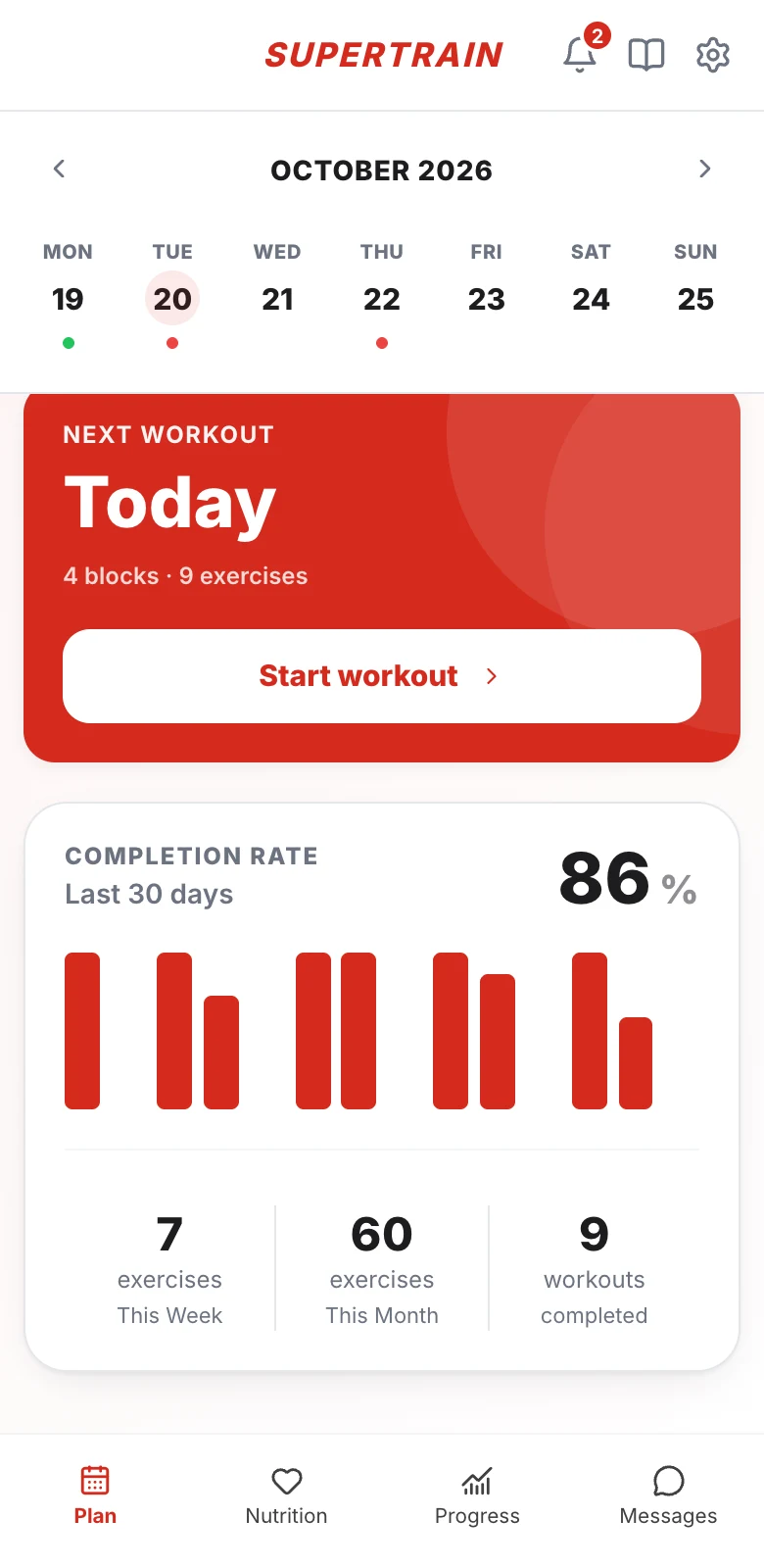
Your week
At the top you have the calendar for the current week, with today highlighted. Each day with a workout has a colored dot underneath:
- Green: workout completed
- Red: workout pending
Use the arrows next to the month to see the previous or next week, and tap any day to open its workout.
Next workout
The red card shows when your next workout is ("Today" or the date) and how many blocks and exercises it has. If it is today, tap Start workout to open it right away.
Completion rate
Further down you see the percentage of workouts you have completed in the last 30 days, with a bar chart of your activity, and three numbers:
- Exercises this week
- Exercises this month
- Workouts completed
Menu and shortcuts
- Bottom menu: Plan (this screen), Nutrition, Progress and Messages. The section you are in is highlighted.
- At the top right you have three icons:
- Bell: opens your Notifications. The number on top of it tells you how many are unread.
- Book icon (if your coach shares content with you): opens the Academy, with the courses, files and documents your coach shares with you.
- Gear icon: opens Settings, where you can change your details, your password, the language and your notifications.