
How to ask your clients for photos and videos?
Want to see how they squat, what they ate today or whether they really did their mobility work? Ask for it on the plan item itself. Your client sees that the photo or video is required, can't complete the item without posting it, and you can tell at a glance what has come in.
Where you can ask for it
On any plan item except reminders: exercises, supersets, circuits, tasks, forms and measurement check-ins. You can ask for it in a client's plan, in a program or in a template; the item keeps the request wherever you use it.
1. Ask for the photo or video from the card
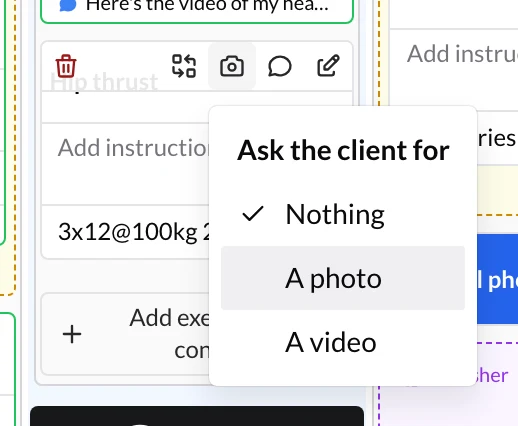
- Hover over the item's card and, in the bar that appears, click the camera icon.
- Under Ask the client for, choose an option:
- Nothing: nothing is required. Your client can still post photos and videos if they want.
- A photo: they can't complete it without posting a photo.
- A video: they can't complete it without posting a video.
You'll also find it in two other places:
- On an exercise, in the Instructions tab of the edit panel.
- On a task, in the dialog where you create or edit it.
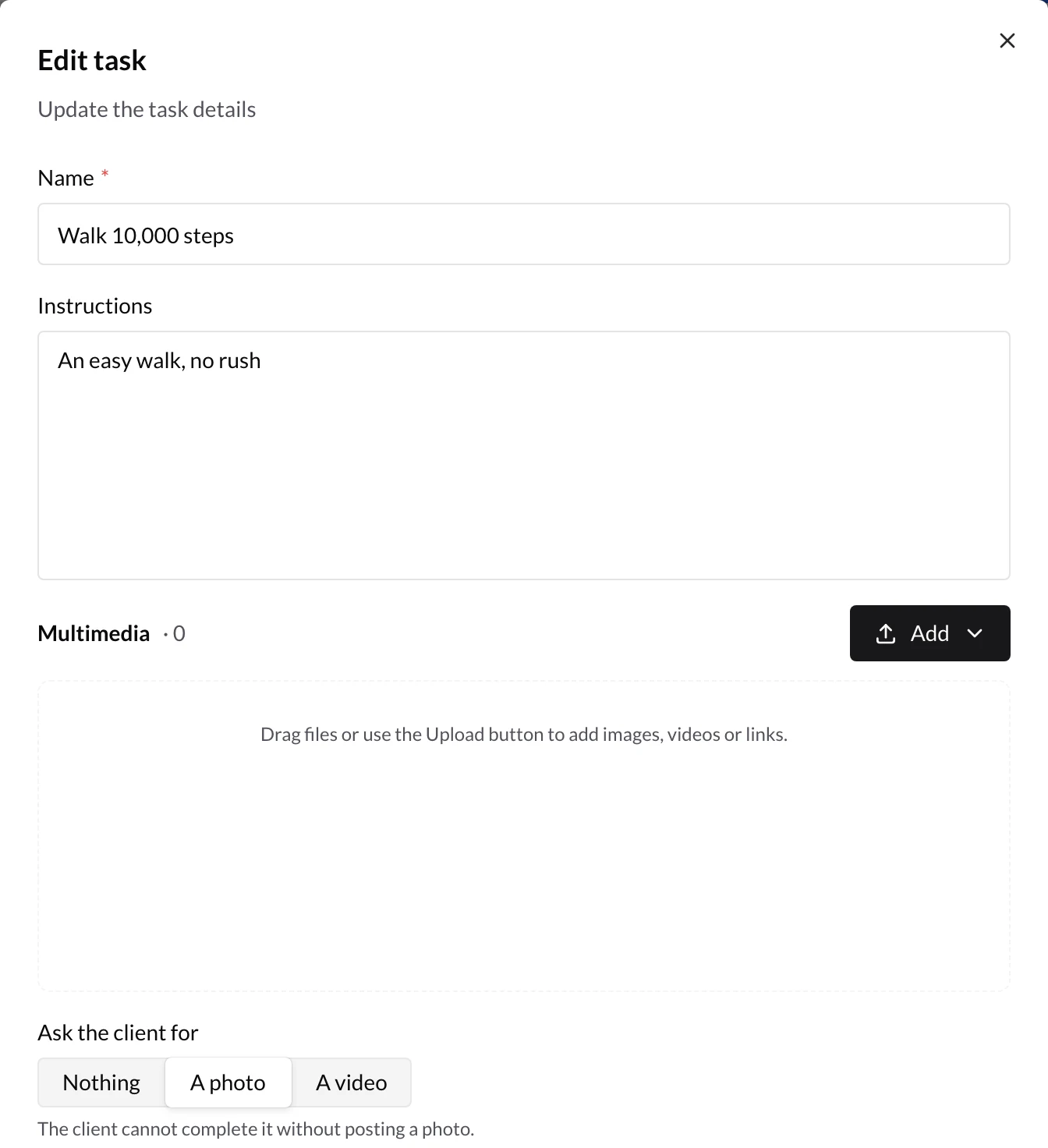
To remove the request, go back to Ask the client for and choose Nothing.
2. What your client sees
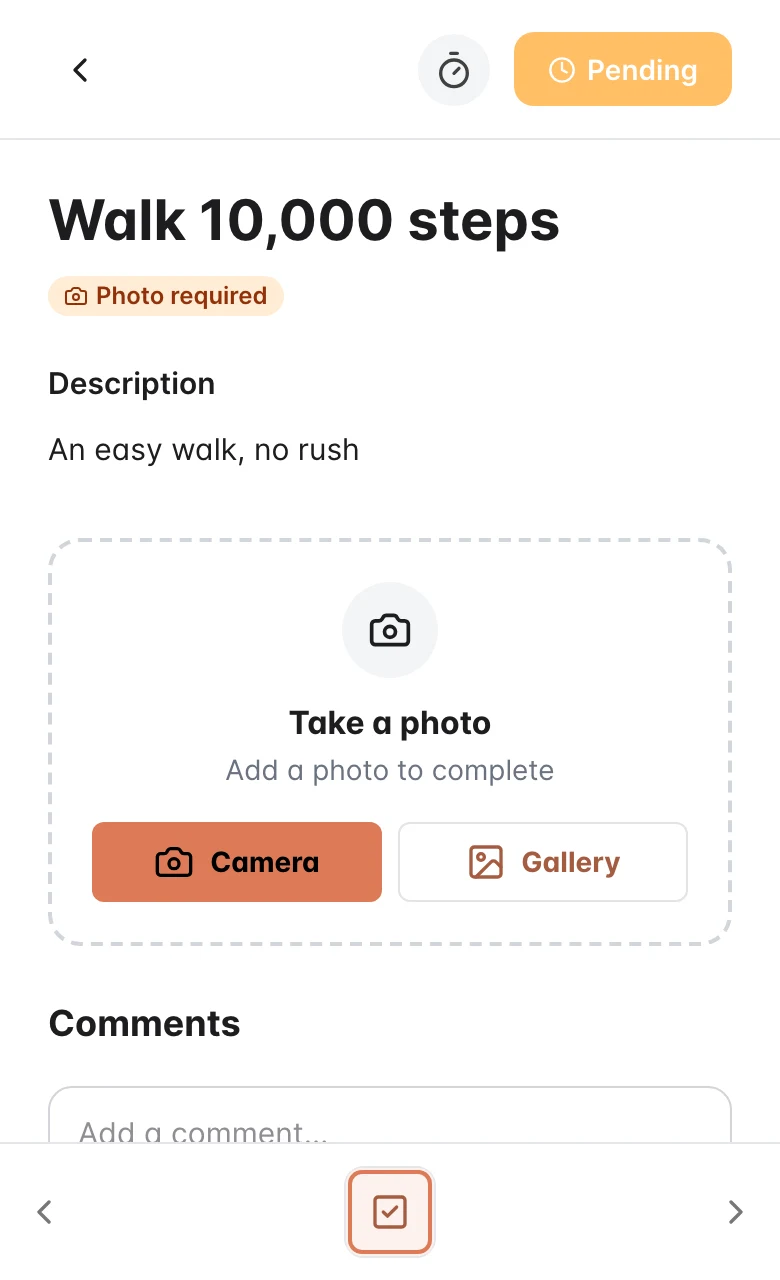
In their app, the item shows the Photo required (or Video required) label and a card to take the photo or record the video with the Camera, or pick it from the Gallery. Whatever they post shows up in the item's comments, for you.
Until they post it, they can't mark the item as completed: the app reminds them with Add a photo to complete (or Add a video to complete).
3. Check what has come in
The item's card in the plan tells you where things stand:
- Photo requested or Video requested, in orange: they haven't posted it yet.
- Photo received or Video received, in green: you have it.
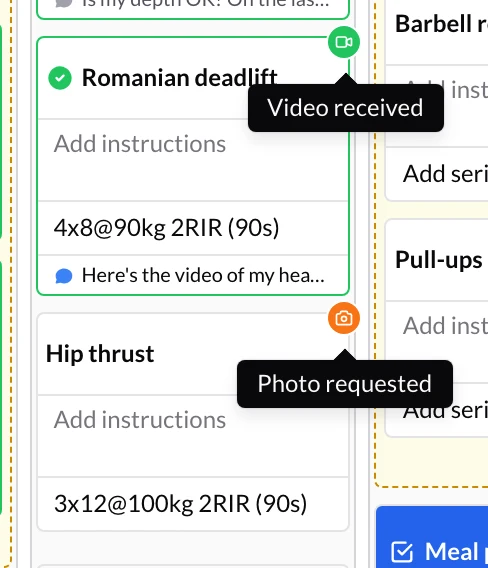
Click the badge to open the item's activity straight on Photos & videos. There you see the photo or video and reply with your corrections: see How to comment on and review the activity of each exercise?.
You don't need to check card by card: when your client posts something, it shows up in the notification bell and, if you have chat turned on with them, in the conversation.
Frequently asked questions
Can my client post what I ask for if I have file uploads turned off?▼
Can I ask for a photo and a video on the same item?▼
Why don't I see the camera icon on a reminder?▼
Where do I see all the photos and videos a client has sent me?▼
Related guides
How to comment on and review the activity of each exercise?
Every exercise, task or item in your client's plan has its own activity, with their comments, their photos and videos and the sets they've logged. Review it in a single panel and reply from there.
How to analyze videos with the Pose Tracker?
Open the videos your clients send you in the Pose Tracker to detect their skeleton, follow the path of a joint or the barbell, correct points frame by frame and draw on top.